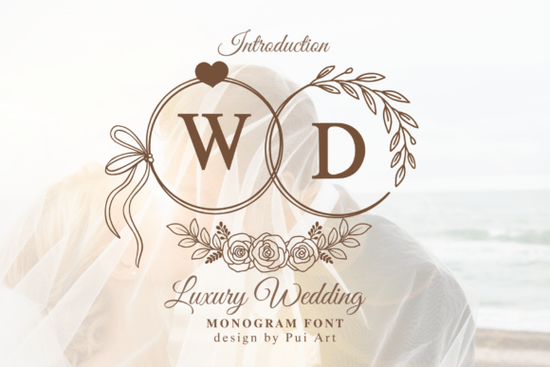
If you're designing wedding invitations, monogram logos, or custom bridal décor, finding the right font can make or break the final look. The Luxury Wedding Monogram Font is a beautifully crafted monogram alphabet that brings romantic heart accents, delicate ribbon bows, and botanical wreath elements into a single, cohesive design set. It's built for modern wedding projects that need a refined, personal touch without overcomplicating your workflow.
What Comes With This Wedding Monogram Font?
This is a complete A–Z monogram alphabet designed with a soft, minimalist aesthetic. Each letter includes:
- Romantic heart accents woven into the letterforms
- Delicate ribbon bow details for a classic bridal feel
- Botanical wreath elements that frame each initial beautifully
Because it's a full alphabet, you can create any combination of initials perfect for couple monograms, first-letter logos, or personalized signage. The design works well at both large and small sizes, which matters when you're moving between a wedding invitation suite and a vinyl decal for reception décor. You can view the full character set and license details on the Luxury Wedding Monogram font page.
What Types of Projects Can You Use It For?
This font set was designed with real crafting and design workflows in mind. Here are some of the most popular uses:
- Wedding invitations and RSVP cards
- Save-the-date announcements
- Personalized wedding logos and branding
- Cricut and Silhouette cutting machine projects
- Vinyl decals for bridal showers and receptions
- Anniversary and engagement gifts
- Print-on-demand products like mugs, tote bags, and wall art
- Custom bridal party décor and table numbers
For small business owners who sell wedding-related products, a monogram font like this adds value to your shop without requiring custom illustration work. Pair it with a bold, geometric decorative style when you need contrast in your layout designs.
How Does It Pair With Other Fonts?
Wedding designs almost always combine a decorative monogram with a supporting typeface for body text. The elegant curves of this font pair well with clean sans-serifs or flowing script fonts. If you're building a full wedding suite, consider combining it with Ro Monogram Font as a secondary monogram option. You can explore the structured alternative monogram style that leans into a different aesthetic while still feeling wedding-appropriate.
For a softer, more playful pairing especially for bridal shower invitations a heart-filled, charming display font adds a lighthearted touch to pre-wedding events. You can find it here as Kawaii Heartsy Font.
Is It Compatible With Cricut and Design Software?
Yes. This font installs like any standard font file and works with:
- Cricut Design Space
- Silhouette Studio
- Adobe Illustrator and Photoshop
- Canva
- Procreate
- Inkscape and other free design tools
Once installed, you simply type your chosen letters and they appear as ornate monogram characters. No extra files or layers to manage.
Who Is This Font Best For?
This monogram font is a strong fit for:
- Wedding stationery designers building client invitation suites
- Cricut crafters making personalized wedding décor
- Print-on-demand sellers offering customizable wedding products
- Small business owners in the bridal and event industry
- DIY brides creating their own wedding materials
If your style leans more floral and feminine, you might also want to look at Beauty Lilly Font, which pairs decorative botanical details with elegant lettering. Browse the full floral font preview to see how it compares.
Quick Checklist Before You Start Your Project
- Make sure the font file format works with your specific design software
- Check the license terms for commercial use if you plan to sell products
- Test a few initial combinations to see how your letters look together
- Plan your pairings pick a clean body font before you start designing
- Save your finished monogram as a reusable template for future projects
Next step: Download the font, install it, and create your first monogram using the initials that matter most to your project. Test it on a simple invitation mockup before scaling to your full wedding design suite.
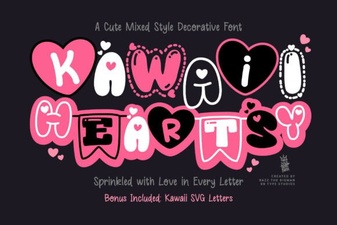 Kawaii Heartsy Font - Cute Decorative Heart-Inspired Typeface
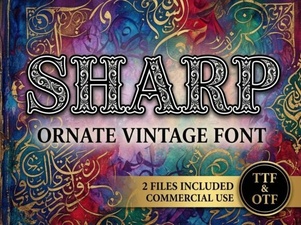 Sharp Font Styles for Modern and Creative Design Projects
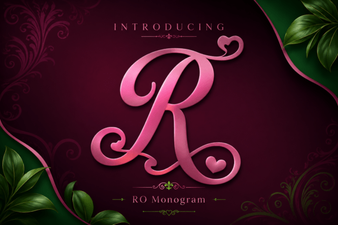 Ro Monogram Font - Elegant Decorative Monogram Typeface
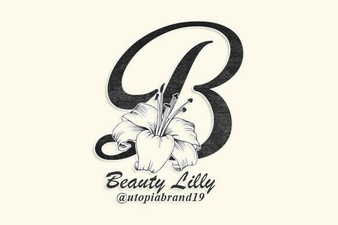 Beauty Lilly Font - Elegant Decorative Typeface for Creative Design Projects
 Academy Sports Font for Bold and Energetic Designs
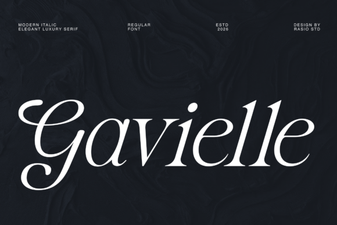 Gavielle Font – Elegant Serif Typeface for Modern Design